> ## Documentation Index
> Fetch the complete documentation index at: https://docs.walletconnect.network/llms.txt
> Use this file to discover all available pages before exploring further.
# Usage
This section provides instructions on how to initialize the WalletKit client, approve sessions with supported namespaces, and respond to session requests, enabling easy integration of Web3 wallets with dapps through a simple and intuitive interface.
## Cloud Configuration
Create a new project on WalletConnect Dashboard at [https://dashboard.walletconnect.com](https://dashboard.walletconnect.com) and obtain a new project ID.
**Don't have a project ID?**
Head over to WalletConnect Dashboard and create a new project now!
## Initialization
`@walletconnect/react-native-compat` must be installed and imported before any `@reown/*` dependencies for proper React Native polyfills.
```ts theme={null}
import "@walletconnect/react-native-compat";
// Other imports
```
Create a new instance from `Core` and initialize it with your `projectId`. Next, create a WalletKit instance by calling `init` on `WalletKit`. Passing in the options object containing metadata about the app.
The `pair` function will help us pair between the dapp and wallet and will be used shortly.
```javascript theme={null}
import { Core } from "@walletconnect/core";
import { WalletKit } from "@reown/walletkit";
const core = new Core({
projectId: process.env.PROJECT_ID,
});
const walletKit = await WalletKit.init({
core, // <- pass the shared `core` instance
metadata: {
name: "Demo React Native Wallet",
description: "Demo RN Wallet to interface with Dapps",
url: "www.walletconnect.com",
icons: ["https://your_wallet_icon.png"],
redirect: {
native: "yourwalletscheme://",
},
},
});
```
### Core Instance Sharing
Starting from newer versions of WalletKit, Core instances are shared globally by default to optimize resource usage. This means that multiple Core instances with the same configuration will reuse the same underlying Core.
**For parallel testing scenarios** where you need isolated Core instances, you have two options:
#### Option 1: Use customStoragePrefix
```javascript theme={null}
const core = new Core({
projectId: process.env.PROJECT_ID,
customStoragePrefix: `test-${Date.now()}`, // Unique prefix for each test
});
```
Don't use randomly generated `customStoragePrefix` in production - this will cause the client to create new storage each time it is initialized. The client will not be able to persist/read existing data and all existing sessions will be lost after each reload.
#### Option 2: Disable global Core sharing
```javascript theme={null}
// Set environment variable before initializing Core
process.env.DISABLE_GLOBAL_CORE = "true";
const core = new Core({
projectId: process.env.PROJECT_ID,
});
```
The global Core sharing behavior was introduced to prevent resource waste when multiple SDK instances are created. If you're running parallel tests and experiencing cross-test interference, use one of the solutions above to ensure proper test isolation.
## Session
A session is a connection between a dapp and a wallet. It is established when a user approves a session proposal from a dapp. A session is active until the user disconnects from the dapp or the session expires.
### Namespace Builder
With WalletKit (and @walletconnect/utils) we've published a helper utility that greatly reduces the complexity of parsing the `required` and `optional` namespaces. It accepts as parameters a `session proposal` along with your user's `chains/methods/events/accounts` and returns ready-to-use `namespaces` object.
```javascript theme={null}
// util params
{
proposal: ProposalTypes.Struct; // the proposal received by `.on("session_proposal")`
supportedNamespaces: Record< // your Wallet's supported namespaces
string, // the supported namespace key e.g. eip155
{
chains: string[]; // your supported chains in CAIP-2 format e.g. ["eip155:1", "eip155:2", ...]
methods: string[]; // your supported methods e.g. ["personal_sign", "eth_sendTransaction"]
events: string[]; // your supported events e.g. ["chainChanged", "accountsChanged"]
accounts: string[] // your user's accounts in CAIP-10 format e.g. ["eip155:1:0x453d506b1543dcA64f57Ce6e7Bb048466e85e228"]
}
>;
};
```
Example usage
```javascript theme={null}
// import the builder util
import { WalletKit, WalletKitTypes } from '@reown/walletkit'
import { buildApprovedNamespaces, getSdkError } from '@walletconnect/utils'
async function onSessionProposal({ id, params }: WalletKitTypes.SessionProposal){
try{
// ------- namespaces builder util ------------ //
const approvedNamespaces = buildApprovedNamespaces({
proposal: params,
supportedNamespaces: {
eip155: {
chains: ['eip155:1', 'eip155:137'],
methods: ['eth_sendTransaction', 'personal_sign'],
events: ['accountsChanged', 'chainChanged'],
accounts: [
'eip155:1:0xab16a96d359ec26a11e2c2b3d8f8b8942d5bfcdb',
'eip155:137:0xab16a96d359ec26a11e2c2b3d8f8b8942d5bfcdb'
]
}
}
})
// ------- end namespaces builder util ------------ //
const session = await walletKit.approveSession({
id,
namespaces: approvedNamespaces
})
}catch(error){
// use the error.message to show toast/info-box letting the user know that the connection attempt was unsuccessful
....
await walletKit.rejectSession({
id: proposal.id,
reason: getSdkError("USER_REJECTED")
})
}
}
walletKit.on('session_proposal', onSessionProposal)
```
If your wallet supports multiple namespaces e.g. `eip155`,`cosmos` & `near`
Your `supportedNamespaces` should look like the following example.
```javascript theme={null}
// ------- namespaces builder util ------------ //
const approvedNamespaces = buildApprovedNamespaces({
proposal: params,
supportedNamespaces: {
eip155: {...},
cosmos: {...},
near: {...}
},
});
// ------- end namespaces builder util ------------ //
```
### Get Active Sessions
You can get the wallet active sessions using the `getActiveSessions` function.
```js theme={null}
const activeSessions = walletKit.getActiveSessions();
```
### EVM methods & events
In @walletconnect/ethereum-provider, (our abstracted EVM SDK for apps) we support by default the following Ethereum methods and events:
```ts theme={null}
{
//...
methods: [
"eth_accounts",
"eth_requestAccounts",
"eth_sendRawTransaction",
"eth_sign",
"eth_signTransaction",
"eth_signTypedData",
"eth_signTypedData_v3",
"eth_signTypedData_v4",
"eth_sendTransaction",
"personal_sign",
"wallet_switchEthereumChain",
"wallet_addEthereumChain",
"wallet_getPermissions",
"wallet_requestPermissions",
"wallet_registerOnboarding",
"wallet_watchAsset",
"wallet_scanQRCode",
"wallet_sendCalls",
"wallet_getCallsStatus",
"wallet_showCallsStatus",
"wallet_getCapabilities",
],
events: [
"chainChanged",
"accountsChanged",
"message",
"disconnect",
"connect",
]
}
```
### Session Approval
In order to connect with a dapp, you will need to receive a WalletConnect URI (WCURI) and this will talk to our protocol to facilitate a pairing session. Therefore, you will need a test dapp in order to communicate with the wallet. We recommend testing with our [React V2 Dapp](https://react-app.walletconnect.com/) as this is the most up-to-date development site.
In order to capture the WCURI, recommend having some sort of state management you will pass through a `TextInput` or QRcode instance.
The `session_proposal` event is emitted when a dapp initiates a new session with a user's wallet. The event will include a `proposal` object with information about the dapp and requested permissions. The wallet should display a prompt for the user to approve or reject the session. If approved, call `approveSession` and pass in the `proposal.id` and requested `namespaces`.
The `pair` method initiates a WalletConnect pairing process with a dapp using the given `uri` (QR code from the dapps). To learn more about pairing, checkout out the [docs](https://specs.walletconnect.com/2.0/specs/clients/core/pairing/).
```javascript theme={null}
import { getSdkError } from "@walletconnect/utils";
// Approval: Using this listener for sessionProposal, you can accept the session
walletKit.on("session_proposal", async (proposal) => {
const session = await walletKit.approveSession({
id: proposal.id,
namespaces,
});
});
// Call this after WCURI is received
await walletKit.pair({ uri: wcuri });
```
### Session Rejection
You can use the `getSDKError` function, which is available in the `@walletconnect/utils` for the rejection function [library](https://github.com/WalletConnect/walletconnect-monorepo/tree/v2.0/packages/utils).
```javascript theme={null}
import { getSdkError } from "@walletconnect/utils";
// Reject: Using this listener for sessionProposal, you can reject the session
walletKit.on("session_proposal", async (proposal) => {
await walletKit.rejectSession({
id: proposal.id,
reason: getSdkError("USER_REJECTED_METHODS"),
});
});
```
### Responding to Session requests
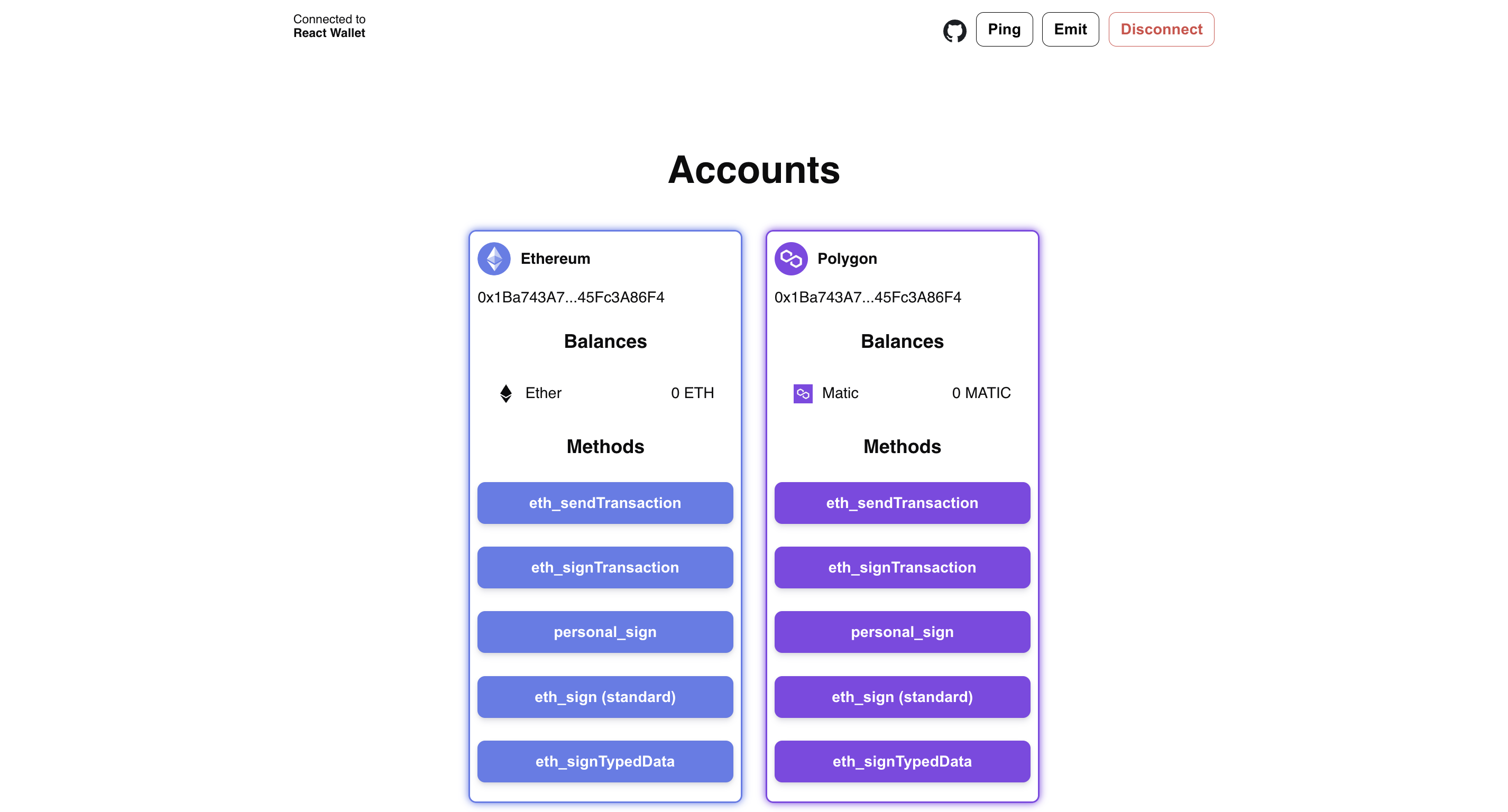 The `session_request` event is triggered by a dapp when it needs the wallet to perform a specific action, such as signing a transaction. The event contains a `topic` and a `request` object, which will vary depending on the action requested.
To respond to the request, the wallet can access the `topic` and `request` object by destructuring them from the event payload. To see a list of possible `request` and `response` objects, refer to the relevant JSON-RPC Methods for [Ethereum](https://docs.reown.com/advanced/multichain/rpc-reference/ethereum-rpc), [Solana](https://docs.reown.com/advanced/multichain/rpc-reference/solana-rpc), [Cosmos](https://docs.reown.com/advanced/multichain/rpc-reference/cosmos-rpc), or [Stellar](https://docs.reown.com/advanced/multichain/rpc-reference/stellar-rpc).
As an example, if the dapp requests a `personal_sign` method, the wallet can extract the `params` array from the `request` object. The first item in the array is the hex version of the message to be signed, which can be converted to UTF-8 and assigned to a `message` variable. The second item in `params` is the user's wallet address.
To sign the message, the wallet can use the `wallet.signMessage` method and pass in the message. The signed message, along with the `id` from the event payload, can then be used to create a `response` object, which can be passed into `respondSessionRequest`.
The wallet then signs the message. `signedMessage`, along with the `id` from the event payload, can then be used to create a `response` object, which can be passed into `respondSessionRequest`.
```javascript theme={null}
walletKit.on("session_request", async (event) => {
const { topic, params, id } = event;
const { request } = params;
const requestParamsMessage = request.params[0];
// convert `requestParamsMessage` by using a method like hexToUtf8
const message = hexToUtf8(requestParamsMessage);
// sign the message
const signedMessage = await wallet.signMessage(message);
const response = { id, result: signedMessage, jsonrpc: "2.0" };
await walletKit.respondSessionRequest({ topic, response });
});
```
To reject a session request, the response should be similar to this.
```javascript theme={null}
const response = {
id,
jsonrpc: "2.0",
error: {
code: 5000,
message: "User rejected.",
},
};
```
### Updating a Session
The `session_update` event is emitted from the wallet when the session is updated by calling `updateSession`. To update a session, pass in the [topic](https://docs.reown.com/advanced/glossary#topics) and the new namespace.
```javascript theme={null}
await walletKit.updateSession({ topic, namespaces: newNs });
```
### Extending a Session
To extend the session, call the `extendSession` method and pass in the new `topic`. The `session_update` event will be emitted from the wallet.
```javascript theme={null}
await walletKit.extendSession({ topic });
```
### Session Disconnect
When either the dapp or the wallet disconnects from a session, a `session_delete` event will be emitted. It's important to subscribe to this event so you could keep your state up-to-date.
To initiate a session disconnect, call the `disconnectSession` method and pass in the `topic` and `reason`. You can use the `getSDKError` utility function, which is available in the `@walletconnect/utils` [library](https://github.com/WalletConnect/walletconnect-monorepo/tree/v2.0/packages/utils).
```javascript theme={null}
await walletKit.disconnectSession({
topic,
reason: getSdkError("USER_DISCONNECTED"),
});
```
### Emitting Session Events
To emit session events, call the `emitSessionEvent` and pass in the params. If you wish to switch to chain/account that is not approved (missing from `session.namespaces`) you will have to update the session first. In the following example, the wallet will emit `session_event` that will instruct the dapp to switch the active accounts.
```javascript theme={null}
await walletKit.emitSessionEvent({
topic,
event: {
name: "accountsChanged",
data: ["0xab16a96D359eC26a11e2C2b3d8f8B8942d5Bfcdb"],
},
chainId: "eip155:1",
});
```
In the following example, the wallet will emit `session_event` when the wallet switches chains.
```javascript theme={null}
await walletKit.emitSessionEvent({
topic,
event: {
name: "chainChanged",
data: 1,
},
chainId: "eip155:1",
});
```
The `session_request` event is triggered by a dapp when it needs the wallet to perform a specific action, such as signing a transaction. The event contains a `topic` and a `request` object, which will vary depending on the action requested.
To respond to the request, the wallet can access the `topic` and `request` object by destructuring them from the event payload. To see a list of possible `request` and `response` objects, refer to the relevant JSON-RPC Methods for [Ethereum](https://docs.reown.com/advanced/multichain/rpc-reference/ethereum-rpc), [Solana](https://docs.reown.com/advanced/multichain/rpc-reference/solana-rpc), [Cosmos](https://docs.reown.com/advanced/multichain/rpc-reference/cosmos-rpc), or [Stellar](https://docs.reown.com/advanced/multichain/rpc-reference/stellar-rpc).
As an example, if the dapp requests a `personal_sign` method, the wallet can extract the `params` array from the `request` object. The first item in the array is the hex version of the message to be signed, which can be converted to UTF-8 and assigned to a `message` variable. The second item in `params` is the user's wallet address.
To sign the message, the wallet can use the `wallet.signMessage` method and pass in the message. The signed message, along with the `id` from the event payload, can then be used to create a `response` object, which can be passed into `respondSessionRequest`.
The wallet then signs the message. `signedMessage`, along with the `id` from the event payload, can then be used to create a `response` object, which can be passed into `respondSessionRequest`.
```javascript theme={null}
walletKit.on("session_request", async (event) => {
const { topic, params, id } = event;
const { request } = params;
const requestParamsMessage = request.params[0];
// convert `requestParamsMessage` by using a method like hexToUtf8
const message = hexToUtf8(requestParamsMessage);
// sign the message
const signedMessage = await wallet.signMessage(message);
const response = { id, result: signedMessage, jsonrpc: "2.0" };
await walletKit.respondSessionRequest({ topic, response });
});
```
To reject a session request, the response should be similar to this.
```javascript theme={null}
const response = {
id,
jsonrpc: "2.0",
error: {
code: 5000,
message: "User rejected.",
},
};
```
### Updating a Session
The `session_update` event is emitted from the wallet when the session is updated by calling `updateSession`. To update a session, pass in the [topic](https://docs.reown.com/advanced/glossary#topics) and the new namespace.
```javascript theme={null}
await walletKit.updateSession({ topic, namespaces: newNs });
```
### Extending a Session
To extend the session, call the `extendSession` method and pass in the new `topic`. The `session_update` event will be emitted from the wallet.
```javascript theme={null}
await walletKit.extendSession({ topic });
```
### Session Disconnect
When either the dapp or the wallet disconnects from a session, a `session_delete` event will be emitted. It's important to subscribe to this event so you could keep your state up-to-date.
To initiate a session disconnect, call the `disconnectSession` method and pass in the `topic` and `reason`. You can use the `getSDKError` utility function, which is available in the `@walletconnect/utils` [library](https://github.com/WalletConnect/walletconnect-monorepo/tree/v2.0/packages/utils).
```javascript theme={null}
await walletKit.disconnectSession({
topic,
reason: getSdkError("USER_DISCONNECTED"),
});
```
### Emitting Session Events
To emit session events, call the `emitSessionEvent` and pass in the params. If you wish to switch to chain/account that is not approved (missing from `session.namespaces`) you will have to update the session first. In the following example, the wallet will emit `session_event` that will instruct the dapp to switch the active accounts.
```javascript theme={null}
await walletKit.emitSessionEvent({
topic,
event: {
name: "accountsChanged",
data: ["0xab16a96D359eC26a11e2C2b3d8f8B8942d5Bfcdb"],
},
chainId: "eip155:1",
});
```
In the following example, the wallet will emit `session_event` when the wallet switches chains.
```javascript theme={null}
await walletKit.emitSessionEvent({
topic,
event: {
name: "chainChanged",
data: 1,
},
chainId: "eip155:1",
});
```