> ## Documentation Index
> Fetch the complete documentation index at: https://docs.walletconnect.network/llms.txt
> Use this file to discover all available pages before exploring further.
# WCT Staking
Staking WCT is the primary mechanism through which token holders engage with and support the network by locking their tokens in the protocol's smart contracts. This alignment of interests creates a more secure and participatory ecosystem.
Staking WCT provides three key benefits: voting rights in protocol governance, eligibility for performance rewards programs, and weekly WCT token rewards distributions. These mechanisms allow token holders to participate actively in the protocol while earning additional rewards.
The staking model now uses perpetual positions with user-triggered unlocking. You select an unlock duration up front (from a discrete set of options), but your position stays fully locked and at full stakeweight until you decide to initiate unlock. When you initiate unlock, stakeweight decays linearly over the chosen duration.
## Stake Weight
Stakeweight is the measure used to determine a staker's position within the network at any given time. It is derived from two factors: the amount of WCT staked and the remaining lock time of the position. Rewards are distributed proportionally to each staker's share of total network stakeweight, and governance voting power is directly proportional to stakeweight.
### States
* **Locked (Perpetual):** Your position is active and not unlocking. While locked, the remaining lock time is fixed at your selected unlock duration, so stakeweight does not decay.
* **Unlocking:** You've initiated an unstake. Remaining lock time decreases linearly to zero over the selected unlock duration; stakeweight decays accordingly. When it reaches zero, the position becomes fully withdrawable.
### Calculating Stake Weight
The stakeweight calculation is:
$$
\text{Stakeweight} = \frac{\text{Amount of WCT} \times \text{Remaining Lock Time}}{209}
$$
Where:
* **Amount of WCT:** Number of WCT tokens staked.
* **Remaining Lock Time:**
* **Locked state:** fixed at the **selected unlock duration** (e.g., 52 weeks).
* **Unlocking state:** decays linearly from the selected duration down to 0.
* **209:** Normalization constant for maximum stakeweight.
For example, if a user stakes **1,000 WCT** and has selected a **40-week** unlock duration:
* **Locked:**
$$
\text{Stakeweight} = \frac{1000 \times 40}{209} \approx 191.39
$$
* **Unlocking (halfway through, 20 weeks remaining):**
$$
\text{Stakeweight} = \frac{1000 \times 20}{209} \approx 95.69
$$
While the stakeweight formula uses 209 weeks as the denominator, the current maximum unlock duration you can select is 104 weeks (≈ 2 years).
Due to timestamp rounding, 104 weeks is used to represent 2 years.
### Stakeweight Decay (only during Unlocking)
In the **Locked** state, stakeweight remains constant (no decay).
In the **Unstaking** state, **remaining lock time**—and thus stakeweight—decays linearly week by week until it reaches 0 at the end of the unlock duration.
## How to Stake WCT
To stake WCT, visit [**https://app.walletconnect.com/stake**](https://app.walletconnect.com/stake)
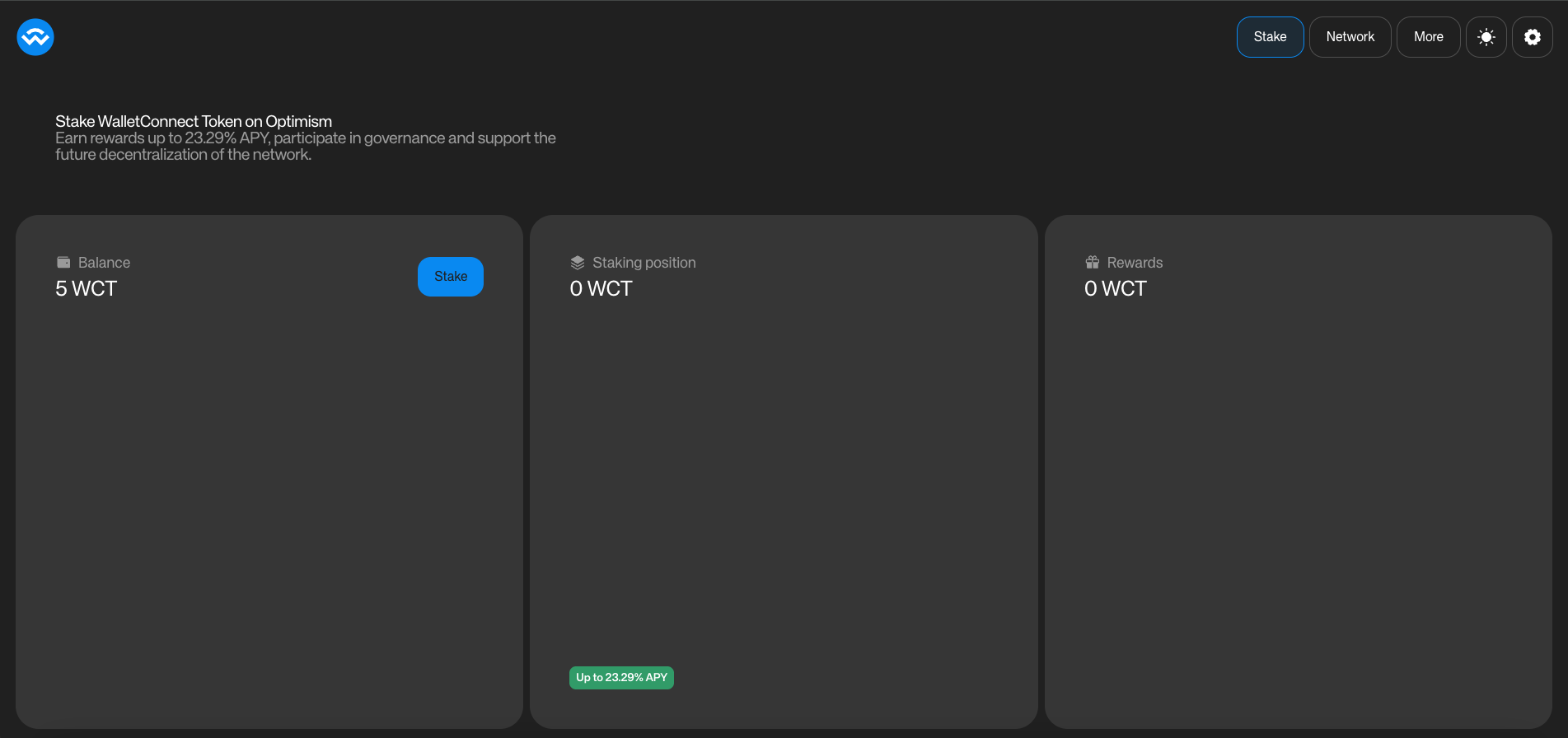
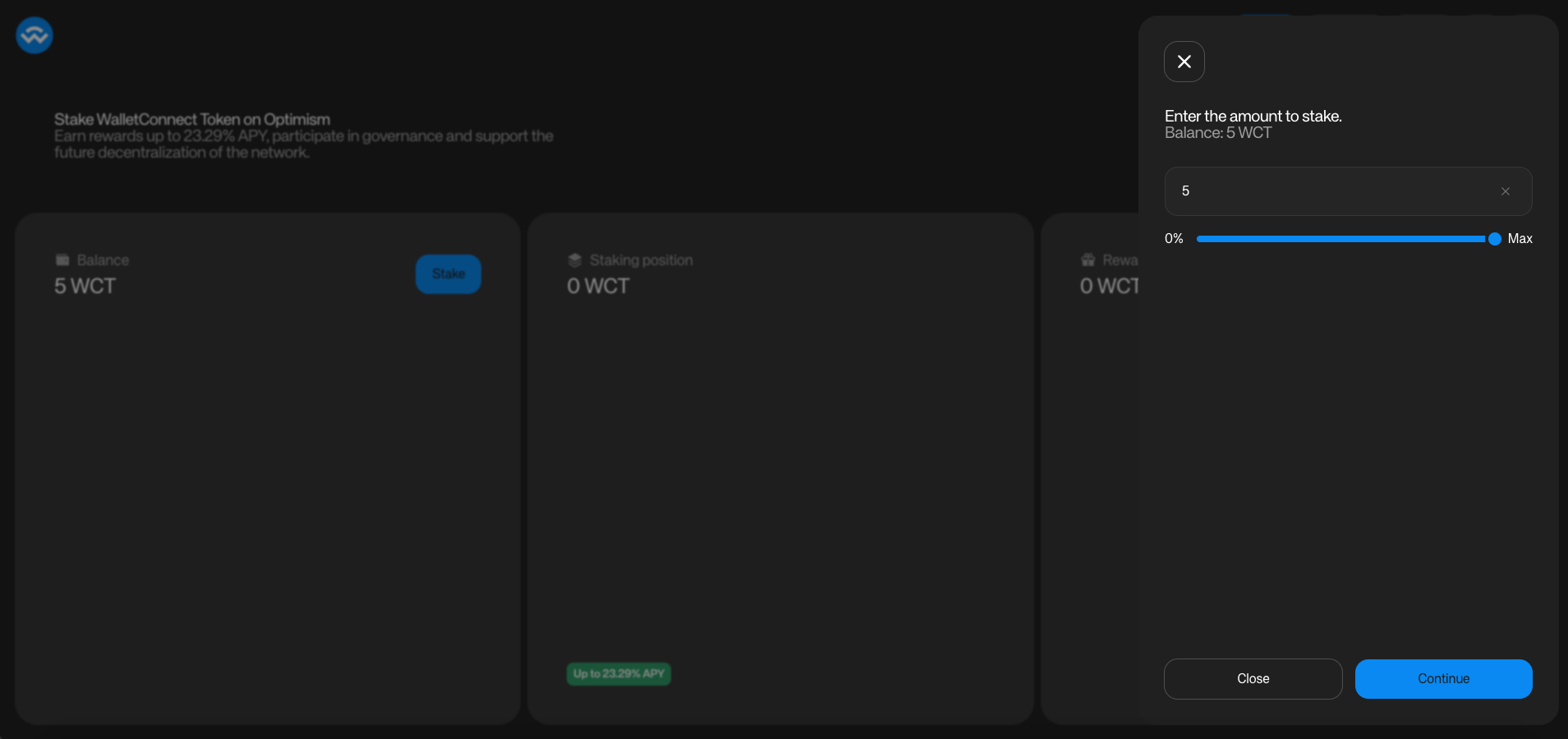
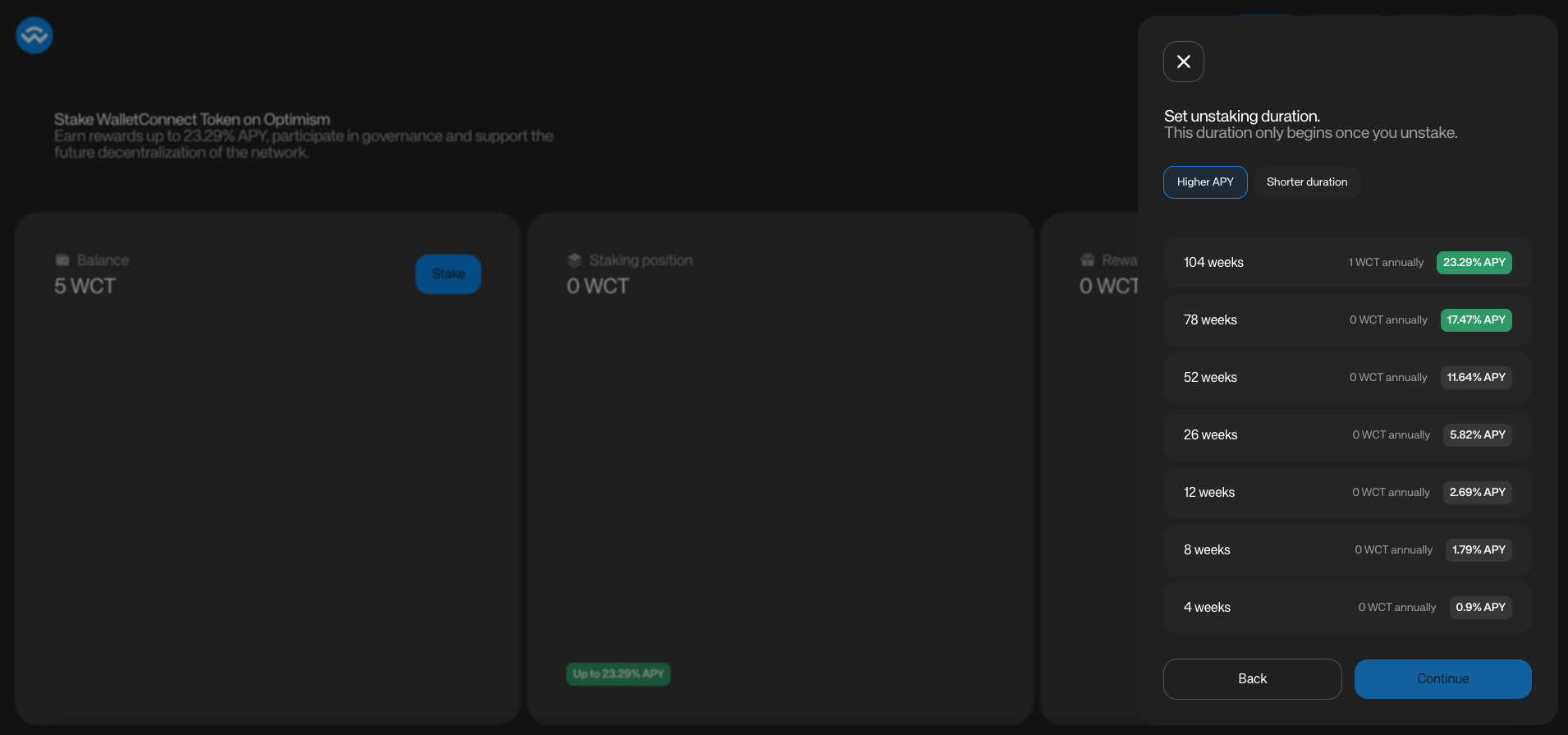
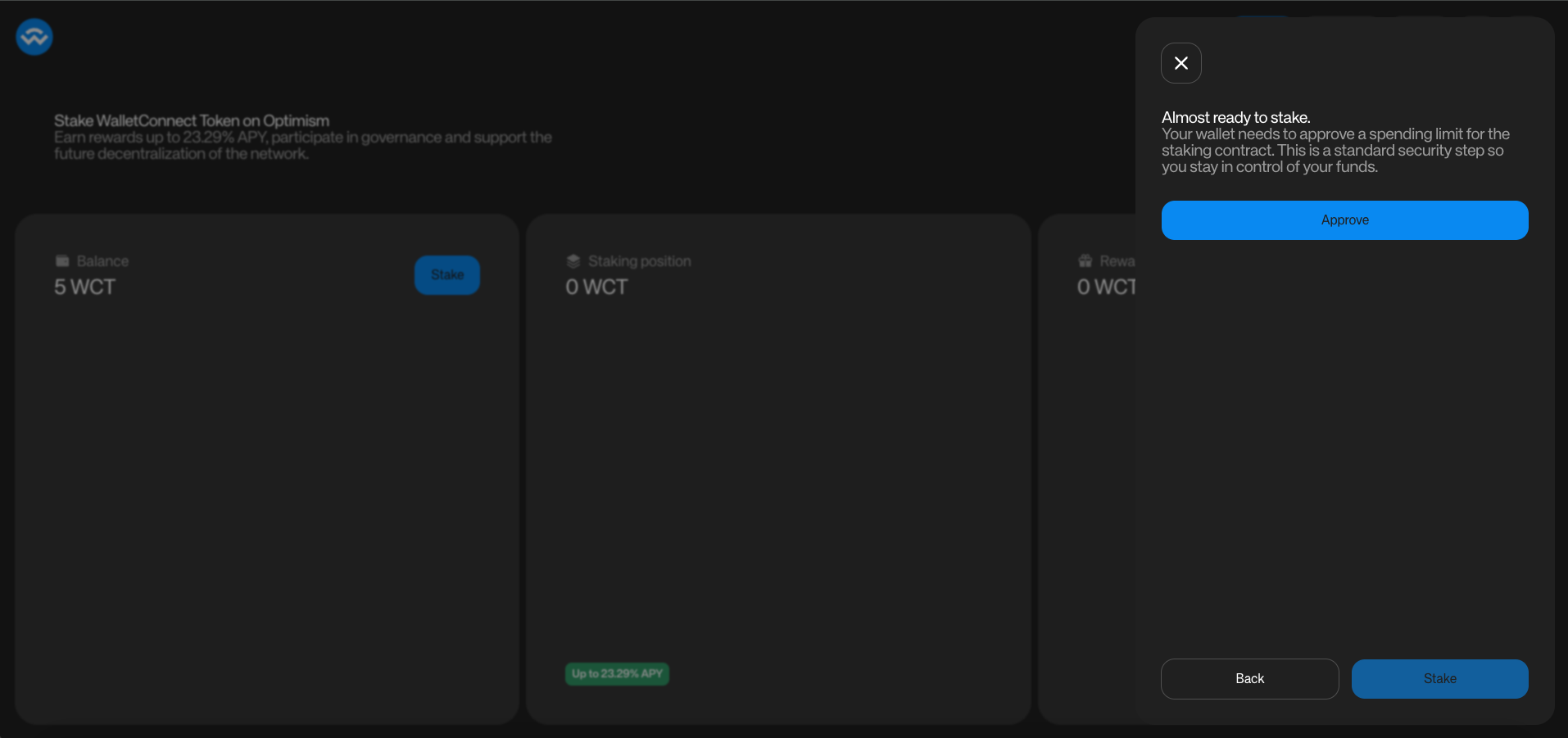 The staking flow involves:
* Connect your wallet.
* Select **Stake**.
* Enter the **amount** you want to stake.
* Set the **duration** (this sets the **unstaking period** used when you later exit. The longer the duration, the higher the APY).
* **Approve** the amount — sign the approval with your wallet.
* **Stake** — sign the staking transaction with your wallet.
Your position is perpetually locked until you initiate unstaking. Choosing the unlock duration does not exit you; it sets the duration for a future exit.
## Discrete Unlock Duration Options
To simplify decisions, the unlock duration must be one of:
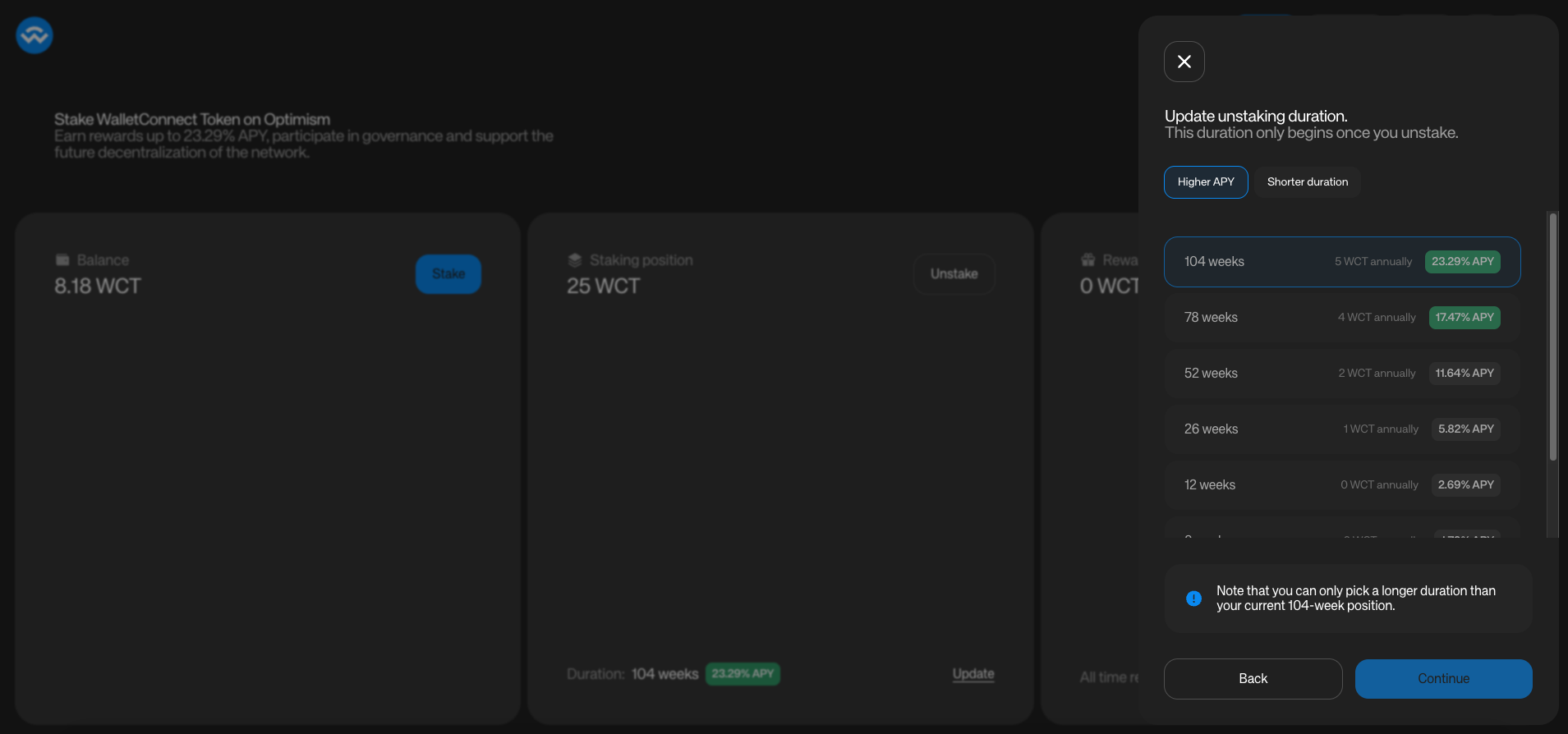
* **4, 8, 12, 26, 52, 78, or 104 weeks** (≈ 1–24 months)
You can change your preset **while Locked**. The preset determines the **remaining lock time** used for stakeweight in the Locked state and the **length of the decay** once you initiate unstaking.
## Staking Rewards Eligibility
Rewards are distributed **weekly**. Each reward period **starts and ends on Thursday (00:00 GMT)**.
To be eligible for a given week:
* Your position must **exist before Thursday 00:00 GMT** of that week; and
* Your position must have **Remaining Lock Time > 0**:
* **Locked:** always eligible.
* **Unlocking:** eligible while **≥ 1 week** remains (once it hits 0, eligibility ends).
### Examples
#### Eligible (Locked)
Created on **Wednesday 23:00 GMT**, preset **4 weeks**, not unlocking yet → Eligible for the week starting Thursday 00:00 GMT (position existed before the cutoff and is Locked).
#### Eligible (Unlocking with ≥ 1 week)
Initiate unlock on **Monday** with preset **12 weeks** → For subsequent Thursdays while ≥ 1 week remains, the position is eligible (with a decaying stakeweight).
#### Ineligible (Too late)
Create a new position at **Thursday 01:00 GMT** → Not eligible for that week (created after the cutoff).
## Position Lifecycle
### Initiating Unstake (Exit)
When you're ready to exit:
1. Go to [**https://app.walletconnect.com/stake**](https://app.walletconnect.com/stake)
2. Connect your wallet
3. Click **Unstake**
4. After the unstaking duration ends, you will be able to withdraw your locked tokens.
From that point:
* Remaining lock time **decays linearly** from the unstaking duration selected when the position was created to **0**.
* Stakeweight decays accordingly.
* When it reaches **0**, the position becomes **fully withdrawable**.
The staking flow involves:
* Connect your wallet.
* Select **Stake**.
* Enter the **amount** you want to stake.
* Set the **duration** (this sets the **unstaking period** used when you later exit. The longer the duration, the higher the APY).
* **Approve** the amount — sign the approval with your wallet.
* **Stake** — sign the staking transaction with your wallet.
Your position is perpetually locked until you initiate unstaking. Choosing the unlock duration does not exit you; it sets the duration for a future exit.
## Discrete Unlock Duration Options
To simplify decisions, the unlock duration must be one of:
* **4, 8, 12, 26, 52, 78, or 104 weeks** (≈ 1–24 months)
You can change your preset **while Locked**. The preset determines the **remaining lock time** used for stakeweight in the Locked state and the **length of the decay** once you initiate unstaking.
## Staking Rewards Eligibility
Rewards are distributed **weekly**. Each reward period **starts and ends on Thursday (00:00 GMT)**.
To be eligible for a given week:
* Your position must **exist before Thursday 00:00 GMT** of that week; and
* Your position must have **Remaining Lock Time > 0**:
* **Locked:** always eligible.
* **Unlocking:** eligible while **≥ 1 week** remains (once it hits 0, eligibility ends).
### Examples
#### Eligible (Locked)
Created on **Wednesday 23:00 GMT**, preset **4 weeks**, not unlocking yet → Eligible for the week starting Thursday 00:00 GMT (position existed before the cutoff and is Locked).
#### Eligible (Unlocking with ≥ 1 week)
Initiate unlock on **Monday** with preset **12 weeks** → For subsequent Thursdays while ≥ 1 week remains, the position is eligible (with a decaying stakeweight).
#### Ineligible (Too late)
Create a new position at **Thursday 01:00 GMT** → Not eligible for that week (created after the cutoff).
## Position Lifecycle
### Initiating Unstake (Exit)
When you're ready to exit:
1. Go to [**https://app.walletconnect.com/stake**](https://app.walletconnect.com/stake)
2. Connect your wallet
3. Click **Unstake**
4. After the unstaking duration ends, you will be able to withdraw your locked tokens.
From that point:
* Remaining lock time **decays linearly** from the unstaking duration selected when the position was created to **0**.
* Stakeweight decays accordingly.
* When it reaches **0**, the position becomes **fully withdrawable**.
 ### Re-Locking (Stop Decay)
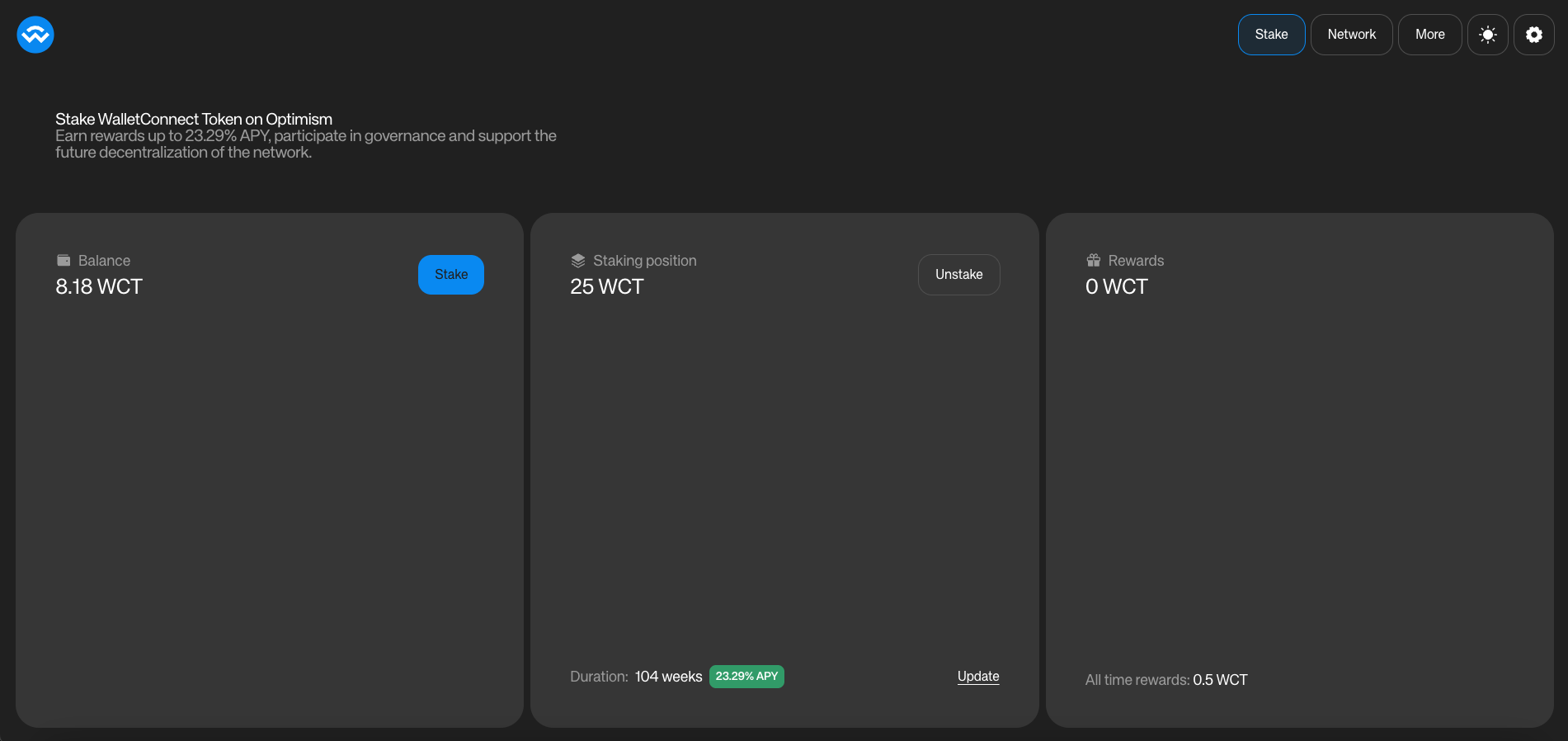
* While **Unstaking**, you can **Update** your position to return to the **Locked** state.
* When updating your position, you must select a preset that is **≥ the current remaining time** (you can make it **longer**, but not shorter).
* Decay stops immediately; stakeweight snaps back to the fixed value using the new preset.
### Completed Unstake
When remaining lock time reaches **0**:
* Stakeweight and voting power become **0**.
* The position becomes **withdrawable** (full amount; partial withdrawals are not supported).
* After withdrawing, you may create a **new** staking position at any time.
## Updating Your Position
Users can update **active staking** positions at any time:
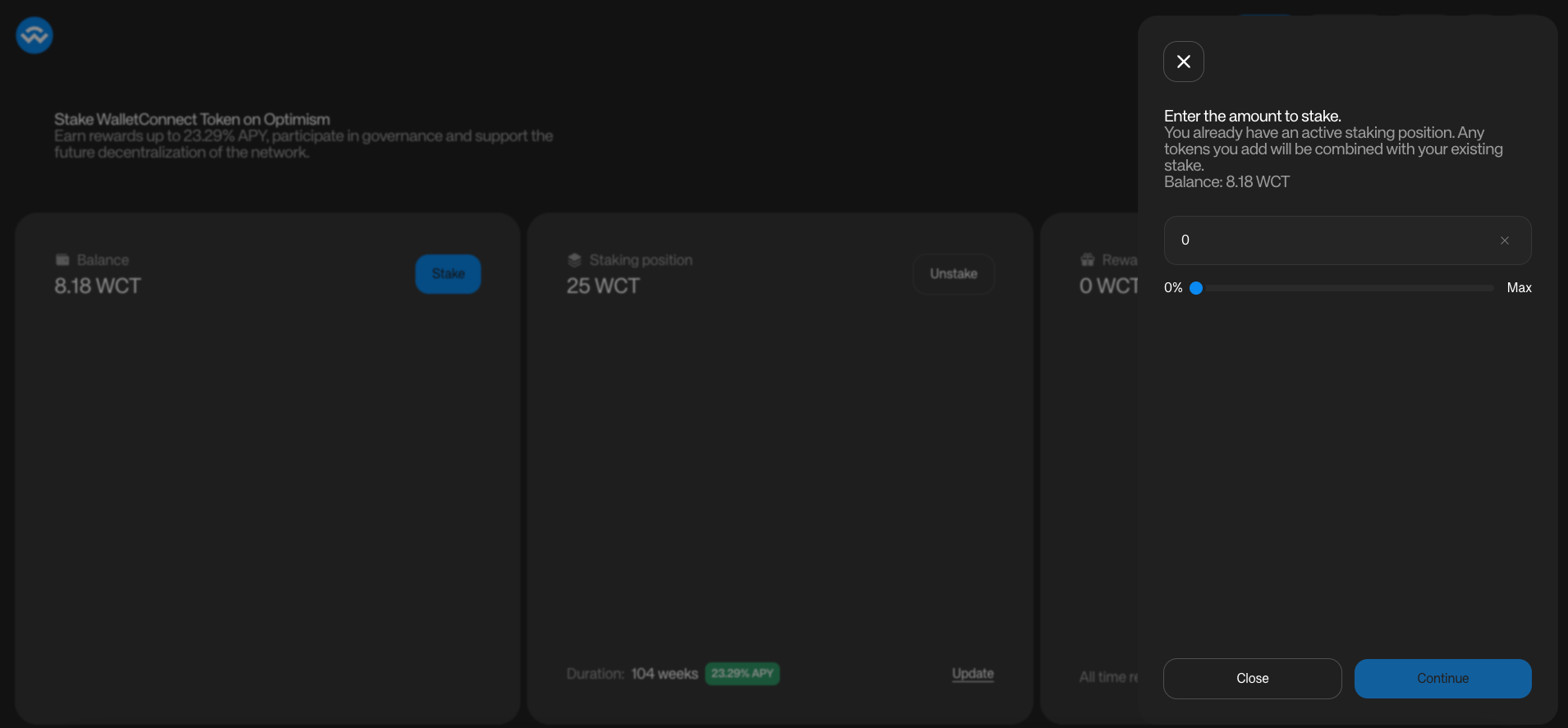
### Adding WCT
Increase your position by depositing more WCT. The added tokens adopt your position's current preset.
### Re-Locking (Stop Decay)
* While **Unstaking**, you can **Update** your position to return to the **Locked** state.
* When updating your position, you must select a preset that is **≥ the current remaining time** (you can make it **longer**, but not shorter).
* Decay stops immediately; stakeweight snaps back to the fixed value using the new preset.
### Completed Unstake
When remaining lock time reaches **0**:
* Stakeweight and voting power become **0**.
* The position becomes **withdrawable** (full amount; partial withdrawals are not supported).
* After withdrawing, you may create a **new** staking position at any time.
## Updating Your Position
Users can update **active staking** positions at any time:
### Adding WCT
Increase your position by depositing more WCT. The added tokens adopt your position's current preset.
 ### Changing the Unlock Duration Preset
While **Staked**, you can change your duration to any of the discrete options **greater than or equal to** your current remaining time. This **does not** initiate unlocking; it only changes the **fixed remaining lock time** used for stakeweight in the Locked state and sets the future unlock duration.
### Changing the Unlock Duration Preset
While **Staked**, you can change your duration to any of the discrete options **greater than or equal to** your current remaining time. This **does not** initiate unlocking; it only changes the **fixed remaining lock time** used for stakeweight in the Locked state and sets the future unlock duration.
 ## Claiming Rewards
Every Thursday, WCT rewards are distributed to eligible positions based on their proportional share of total network stakeweight. If your position's stakeweight represents 5% of the total, you'll receive approximately 5% of that week's distribution.
$$
\text{Reward Share} = \frac{\text{Position Stakeweight}}{\text{Total Network Stakeweight}}
$$
You can claim rewards on your dashboard at any time. When claiming, you may **re-stake** rewards back into the position to grow stakeweight.
Checking in weekly lets you claim and optionally re-stake rewards and adjust your preset, helping you maintain optimal stakeweight.
## Migration Path (Existing Positions)
To avoid disrupting existing positions at upgrade time:
* Existing positions were treated as **already unlocking** under the new contracts, so they continue to decay and become withdrawable on their original timelines without action required.
* If you prefer the new **perpetual** behavior, select **Update**, choose a duration (you'll be able to select only durations **greater than or equal to** your current remaining lock), then remain **Locked** until you choose to initiate a new unlock.
## Backwards Compatibility / Optionality
Power users can still mimic the old behavior by **initiating unlock immediately after staking**, which starts decay from day one (as before). Otherwise, you enjoy constant stakeweight until you decide to exit.
## Claiming Rewards
Every Thursday, WCT rewards are distributed to eligible positions based on their proportional share of total network stakeweight. If your position's stakeweight represents 5% of the total, you'll receive approximately 5% of that week's distribution.
$$
\text{Reward Share} = \frac{\text{Position Stakeweight}}{\text{Total Network Stakeweight}}
$$
You can claim rewards on your dashboard at any time. When claiming, you may **re-stake** rewards back into the position to grow stakeweight.
Checking in weekly lets you claim and optionally re-stake rewards and adjust your preset, helping you maintain optimal stakeweight.
## Migration Path (Existing Positions)
To avoid disrupting existing positions at upgrade time:
* Existing positions were treated as **already unlocking** under the new contracts, so they continue to decay and become withdrawable on their original timelines without action required.
* If you prefer the new **perpetual** behavior, select **Update**, choose a duration (you'll be able to select only durations **greater than or equal to** your current remaining lock), then remain **Locked** until you choose to initiate a new unlock.
## Backwards Compatibility / Optionality
Power users can still mimic the old behavior by **initiating unlock immediately after staking**, which starts decay from day one (as before). Otherwise, you enjoy constant stakeweight until you decide to exit.